
For agencies
Run client campaigns
with less busywork.
Give each team member the right access, reuse your best templates, test before you commit, and show clients reports with the numbers they ask for.
Team roles · Saved templates · A/B tests · Reports

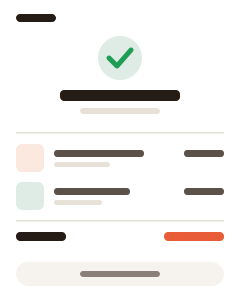
A Flashmail campaign report: opens, clicks and top links, ready to walk your client through.
Team users and roles
Everyone gets the access their job needs.
Templates you reuse
Start new campaigns from your saved designs.
Reports for clients
Opens, clicks, bounces and top links per campaign.
Templates
Build a layout once,
reuse it every campaign.
Save your own templates, or paste and upload the HTML your designers already have. Start each new campaign from a proven layout and change only the content. See Email Campaigns for the builder.




A/B tests
Bring evidence,
not guesses.
Split the audience into two groups and compare subject lines, content or send times. The better variant goes out automatically, and you have a result to show the client.
What you get
Built for teams that send for others.
Collaboration, reuse and reporting in one place.
Users and roles
Invite your team and control what each person can do.
Activity log
See who changed what in the account.
Saved templates
Reuse layouts across campaigns.
A/B tests
Compare subject lines, content or send times.
Campaign reports
Delivered, opened, clicked, bounced and more.
Sending domains
Authenticate each brand with SPF, DKIM and DMARC.
Sending domains
Each brand sends
from its own domain.
Add a sending domain and verify its SPF, DKIM and DMARC records. Emails are DKIM-signed, and verification health shows when something needs attention. Custom sending domains depend on the plan.
Getting started
Set up your agency workspace.
Invite the team, prepare templates, then send.
-
1
Invite your team
Add users and give each one a role.
-
2
Prepare your templates
Save layouts for the clients and campaigns you run often.
-
3
Send and report
Launch the campaign and share the report with your client.
Common questions.
Can several people work in the same account?
Yes. Add team users and assign roles. The activity log shows what each person did.
What is in a campaign report?
Recipients, delivered, opened and clicked with rates, plus unsubscribes, bounces and spam reports. You also see top links, top countries, the most active subscribers and performance over time.
Can each client send from their own domain?
You can add and verify several sending domains, each with SPF, DKIM and DMARC records. Custom sending domains depend on the plan.
Spend less time on setup,
more on results.
Create a free account and invite your team.