
Transactional Email
OTP, password resets
and notifications, by API.
Create a template once, then send it from your app with one API call. Fill in the {{variables}} for each recipient, and Flashmail delivers it on a priority lane that does not wait behind your campaigns.
OTP codes · Password resets · Notifications · Open tracking
One API call per email
Send a template key, a recipient and the variables.
Separate from campaigns
A dedicated priority lane, outside the campaign queue.
Opens tracked automatically
Every send is logged, with its opens.
Templates
Write the email once.
Fill in the details per send.
Each template has a key, a subject and an HTML body with {{placeholders}}. A template such as "Kode OTP Login" can use the subject "{{code}} adalah kode OTP Anda", and your app sends only the code.





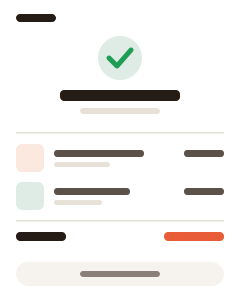
Logs
See what was sent,
and what was opened.
Every transactional email gets an open-tracking pixel automatically. Sends and opens appear on the Logs page, so you can check whether a code or notice reached its reader.
How it works
Built for the emails your app has to send.
A small API, its own key and its own sending lane.
OTP codes
Send one-time login and verification codes.
Password resets
Deliver reset links when users ask for them.
Notifications
Order updates, alerts and other account messages.
Priority lane
Sent through the system mailer, bypassing the campaign pipeline.
Its own X-API-Key
A key separate from your account API token.
Simple REST endpoint
POST /utility/v1/send with template, to and variables.
Getting started
Send your first transactional email.
Three steps from template to inbox.
-
1
Create a template
Add a key, subject and HTML body with {{variables}}.
-
2
Get your X-API-Key
Use it to authenticate requests from your app.
-
3
Call the API
Send the template key, recipient and variables. Check the result on the Logs page.
Common questions.
What is the difference between transactional and marketing email?
Transactional email is sent to one person because of something they did, such as logging in or resetting a password. Marketing email, such as a newsletter or promotion, is sent as a campaign to a list. Flashmail sends transactional email on its own priority lane, separate from campaigns.
Is the Transactional Email API available on every plan?
Access to the Email Utility API depends on your plan. Check the pricing page or your account to see whether your plan includes it.
Can I use my account API token?
No. Transactional email uses its own X-API-Key, separate from the account API token used for lists, subscribers and campaigns.
Let your app send
its own email.
Create a free account and check which plans include the Email Utility API.